
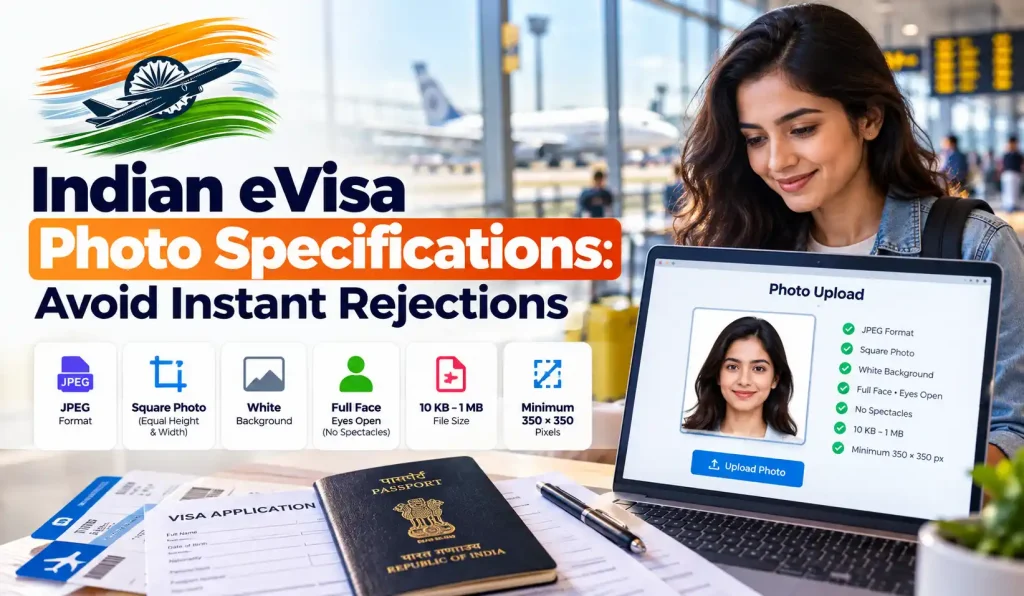
Uploading the wrong photo can cause an upload photo error for an Indian eVisa or lead to a request to re-upload your documents. The good news is that most photo problems are easy to avoid when you know the exact specifications.
Whether you are applying from the USA, UK, Canada, Australia, or another eligible country, checking your photo before uploading can save time and prevent unnecessary delays.
Indian Visa Photo Size Requirements in 2026
The Indian eVisa application requires a recent digital photograph that follows specific technical and appearance rules.
According to the current Government of India eVisa instructions, the photograph should meet these requirements:
| Photo requirement | Indian eVisa specification |
| File format | JPEG |
| File size | Minimum 10 KB, maximum 1 MB |
| Dimensions | Equal height and width |
| Minimum dimensions | 350 × 350 pixels |
| Background | Plain light-coloured or white |
| Face position | Full face, front-facing |
| Eyes | Open |
| Glasses | Not permitted |
| Head position | Centered in the frame |
| Shadows | No shadows on face or background |
| Borders | No borders |
| Photo | Recent photograph |
The official eVisa instructions also state that the full head should be visible, from the top of the hair to the bottom of the chin.
What does 350 × 350 pixels mean?
Your photo needs to be square, meaning its height and width must be equal. The minimum dimension is 350 pixels by 350 pixels.
For example:
- 350 × 350 pixels — acceptable minimum
- 500 × 500 pixels — square format
- 800 × 800 pixels — square format
- 350 × 500 pixels — not square and may cause an upload problem
Remember that pixel dimensions and file size are different things. A photo can have suitable dimensions but still be too large or too small in KB.
White Background Visa Photo India: What You Need to Know
A white background visa photo for India is one of the most important requirements.
The photograph should have a plain white or light-coloured background. Avoid busy rooms, patterned walls, outdoor backgrounds, furniture, or objects behind you.
Your face should also be clearly separated from the background.
Avoid shadows
Do not take your photo with strong lighting from one side that creates a shadow behind your head or across your face.
A simple setup can work well:
- Stand in front of a plain white or light-coloured wall.
- Use even lighting on your face.
- Look directly at the camera.
- Keep your head straight.
- Make sure your entire head is visible.
Indian eVisa Photo Requirements for Your Face
Getting the technical file settings right is only half the job. The photograph must also clearly show your face.
The current eVisa instructions require a full-face, front-facing photograph with eyes open and without spectacles. Your head should be centered and the entire head should appear in the frame.
Before uploading, check that:
- You are looking directly at the camera.
- Both eyes are clearly visible.
- Your face is not turned sideways.
- Your full head is inside the frame.
- Your chin is visible.
- Your face is not covered by hair or another object.
- You are not wearing spectacles.
- There are no heavy shadows.
- The image is sharp and clear.
Why Am I Getting an Upload Photo Error on Indian eVisa?
An upload photo error on Indian eVisa applications commonly happens when the image does not match the required technical specifications.
Some common causes include:
1. Wrong file format
The eVisa photograph should be in JPEG format. A PNG, PDF, or other file format may not meet the requirement.
2. Photo is too large or too small
The current eVisa instructions specify a minimum file size of 10 KB and a maximum of 1 MB.
3. Incorrect dimensions
The height and width must be equal, with minimum dimensions of 350 × 350 pixels.
4. Background is unsuitable
A dark, patterned, or cluttered background can make the photograph fail the visual requirements.
5. Face is not clearly visible
A side-facing photo, sunglasses, spectacles, excessive shadows, or an incorrectly cropped image can create problems.
6. Using your passport photograph
Do not simply crop the photograph from your passport and upload it as your new eVisa photograph. The official eVisa instructions specifically say to upload a clear, recent, front-facing photograph rather than cropping the passport image.
How to Take an Indian eVisa Photo at Home
You do not necessarily need a professional studio if you can create a clear photograph that meets all requirements.
Try this simple method:
Step 1: Find a plain background
Use a white or light-coloured wall without decorations.
Step 2: Use good lighting
Face a light source so your face is evenly illuminated. Avoid strong shadows.
Step 3: Position the camera
Keep the camera directly in front of you rather than above, below, or at an angle.
Step 4: Keep your face natural
Look straight at the camera with your eyes open and keep your full face visible.
Step 5: Check the image
Before uploading, verify the format, file size, dimensions, background, and framing.
Step 6: Upload the correct file
Make sure you select the intended JPEG photograph rather than your passport scan or another image.
Indian eVisa Photo Checklist Before You Upload
Use this quick checklist before submitting your application:
- JPEG format
- 10 KB to 1 MB
- Square image
- At least 350 × 350 pixels
- Recent photograph
- White or plain light-coloured background
- Full face facing the camera
- Eyes open
- No spectacles
- Full head visible
- Head centered
- No shadows
- No borders
- Clear and sharp image
If everything on the list is correct, you can proceed with your application more confidently.
Photo Requirements vs Passport Requirements
Do not confuse your eVisa photograph with your passport document.
The eVisa application requires both a recent photograph and a scanned passport bio page containing your personal details. The passport page must belong to the same passport whose details you enter in the application.
Before starting, you can review the Indian eVisa application form and separately check the Indian visa passport requirements so that your documents are ready.
Example: Applying From the USA
Suppose you are travelling from the USA to India and have just taken a passport-style photograph at a local photo shop.
Before uploading it, check whether it is:
- JPEG
- Square
- At least 350 × 350 pixels
- Between 10 KB and 1 MB
- Taken against a plain white or light background
- Front-facing
- Free from spectacles and shadows
If the photograph is not square or is saved as PNG, correct those issues before attempting the upload.
This small check can help prevent an avoidable upload photo error on your Indian eVisa application.
What Happens If Your Photo Is Not Accepted?
If an uploaded image or document is found to be inappropriate after submission, the Indian eVisa system may advise the applicant by email to re-upload the relevant item. The official instructions state that applicants should use the re-upload facility when advised.
That is why it is better to check your photograph before submitting rather than waiting for a correction request.
Final Indian eVisa Photo Check
The easiest way to avoid photo-related problems is to treat the upload as a checklist rather than simply selecting the first passport-style photograph you have.
Your image should be JPEG, square, at least 350 × 350 pixels, between 10 KB and 1 MB, recent, front-facing, clearly visible, and taken against a plain white or light-coloured background.
Take a minute to check these details before submitting your application. It can save you from having to correct an avoidable photo issue later.
FAQs About Indian eVisa Photo Specifications
What is the Indian eVisa photo size requirement?
The photograph must have equal height and width, with minimum dimensions of 350 × 350 pixels. The file must be JPEG and between 10 KB and 1 MB.
Can I use a passport photo for an Indian eVisa?
You should upload a recent front-facing photograph specifically for the eVisa. The official instructions advise applicants not to crop the passport image and use it as the recent photograph.
Does an Indian eVisa photo need a white background?
Yes. The photograph should have a plain light-coloured or white background, without shadows on the face or background.
Can I wear glasses in my Indian eVisa photo?
The current eVisa photo instructions specify a front-facing photograph with eyes open without spectacles. It is therefore safest to remove your glasses before taking the photograph.
What should I do if my Indian eVisa photo upload fails?
First check the JPEG format, file size, square dimensions, background, lighting, and face positioning. Correct any issue and try uploading the photograph again.
Apply With Confidence
Ready to start your India eVisa application? Check your photograph and documents first, then apply through the India eVisa application page.
A few minutes spent checking your photo can help you avoid common upload problems and make the application process smoother.