
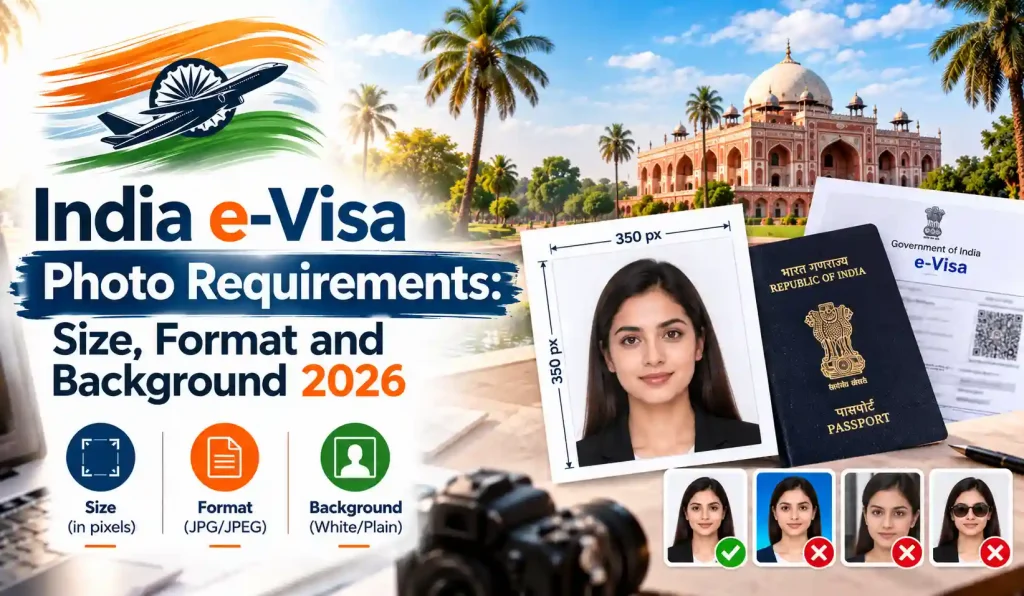
Are you applying for an Indian e-Visa but unsure about the correct photo size, file format, or background? Even a small mistake when uploading your photograph can cause problems with your application.
This guide explains the India eVisa photo requirements, including image dimensions, accepted formats, background guidelines, and common mistakes to avoid in 2026. Follow these practical tips to prepare your photo before submitting your application.
India eVisa Photo Requirements: What You Need to Know
When applying for an Indian e-Visa, you may need to upload a recent photograph of yourself as part of the online application process. Your photograph should clearly show your face and meet the official portal’s image requirements.
Before uploading your image, check the following:
- Photo quality: Use a clear, recent photograph.
- Background: Choose a plain, light-coloured background, preferably white.
- Face visibility: Keep your full face visible and centred.
- Lighting: Avoid shadows, glare, and overexposure.
- File format: Check the accepted image format on the application portal.
- File size and dimensions: Follow the current instructions displayed during your application.
Requirements can change, so always confirm the latest specifications on the official Indian e-Visa portal before uploading your photograph.
India Visa Photo Size: Dimensions and File Format
One of the most common questions applicants ask is, “What is the correct India visa photo size?”
The required dimensions and maximum file size may depend on the instructions provided by the application portal. Do not assume that every passport photograph or standard visa photo will automatically meet the Indian e-Visa requirements.
Use this checklist before uploading your image.
| Photo requirement | What you should do |
| Image dimensions | Follow the current dimensions specified by the portal |
| File format | Use one of the formats accepted by the portal |
| File size | Keep the image within the stated upload limit |
| Image quality | Use a sharp, clear, unblurred photograph |
| Face position | Keep your face centred and fully visible |
| Background | Use a plain, light background, preferably white |
| Cropping | Avoid cutting off your head, chin, or face |
Important: The photograph uploaded with your e-Visa application is not necessarily subject to exactly the same specifications as the photograph printed in your physical passport. Follow the instructions specifically provided for the Indian e-Visa application.
eVisa Photo White Background: What Are the Rules?
A plain white background is a practical choice when preparing a photograph for an Indian e-Visa application. It helps keep attention on your face and avoids unnecessary visual distractions.
For the best results, follow these tips:
- Stand or sit in front of a plain white or light-coloured wall.
- Keep a little distance between yourself and the wall to reduce shadows.
- Make sure the background has no patterns, furniture, or other people.
- Use even lighting so your facial features remain easy to see.
- Avoid filters or digital effects that change your natural appearance.
Can You Use a Photo With a Coloured Background?
A photograph with a busy or dark background may not meet the portal’s requirements. If your existing photo has a coloured background, consider taking a new one against a plain, light background.
Do not rely on aggressive editing to replace the background. Artificial editing can affect image quality or make the photograph look unnatural. A properly taken photograph is usually the safer option.
Passport Photo India Visa: How Should You Look?
Your face should be clearly visible so that the photograph can be used for identification.
Follow these simple guidelines when taking your photograph:
- Face the camera: Look directly at the camera with your head in a natural, upright position.
- Keep a neutral expression: Avoid exaggerated expressions or a wide smile.
- Keep your eyes visible: Do not let hair cover your eyes.
- Remove distractions: Avoid sunglasses and other items that hide your facial features.
- Check the lighting: Make sure your face is evenly illuminated.
- Use a recent image: Your photograph should represent your current appearance.
- Avoid filters: Do not use beauty filters, heavy retouching, or effects that alter your facial features.
If you normally wear glasses, check the current official instructions before taking your photo. Reflections or tinted lenses can make your eyes difficult to see.
How to Prepare Your India e-Visa Photo Step by Step
You do not always need an expensive photography studio to prepare a suitable digital photograph. A smartphone can help you take a clear image if you follow the portal’s requirements.
Step 1: Choose a Suitable Location
Find a well-lit area with a plain white or light-coloured wall. Natural light can work well if it illuminates your face evenly.
Step 2: Take a Clear Photograph
Ask someone to take your picture, or use a stable phone stand. Keep the camera at eye level and avoid selfies taken from an unusual angle.
Step 3: Check the Image
Look at the photograph carefully. Make sure your face is sharp, your eyes are visible, and no shadows cover your facial features.
Step 4: Crop and Resize the Image
Adjust the photograph only as needed to meet the required dimensions and file size. Keep your full face visible and do not stretch the image.
Step 5: Check the File Format
Save the image in a format accepted by the application portal. Check the file size before uploading it.
Step 6: Upload Your Photograph
Open the India e-Visa application form and follow the instructions provided for submitting your application.
Review the photograph after uploading it, if a preview is available. Make sure it has not been cropped incorrectly or distorted.
Common India eVisa Photo Mistakes to Avoid
A photograph may look fine on your phone but still be unsuitable for an online visa application.
Avoid these common mistakes:
- Uploading a blurry or low-resolution image.
- Using a dark, patterned, or distracting background.
- Ignoring the required image dimensions or file-size limit.
- Cropping the top of your head or the bottom of your chin.
- Using filters that change your facial features.
- Uploading a photograph with shadows across your face.
- Submitting a scanned passport page instead of the required standalone photograph.
- Uploading the wrong file or an image in an unsupported format.
Before submitting your application, review every uploaded document and image. Correcting mistakes before submission can help prevent unnecessary delays.
Real-Life Examples: Getting Your Photo Ready
Example 1: A traveller applying from the USA
Suppose you are a US citizen planning a holiday in India. You take a passport-style photograph against a white wall using your smartphone.
Before uploading it, check that the image meets the Indian e-Visa portal’s current dimensions, file format, and size limits. A photograph accepted for a US passport is not automatically guaranteed to meet Indian e-Visa requirements.
Example 2: A family travelling to India
If you are applying for several family members, prepare a separate photograph for each applicant. Check every image individually rather than uploading the same photograph for multiple people.
Example 3: An applicant using an old photograph
If your photograph no longer reflects your appearance or has poor image quality, take a new one. A recent, clear photograph is a better choice than an old image that needs extensive editing.
Other Important Steps Before Travelling to India
Preparing your photograph is only one part of the application process. You should also check your passport details, eligibility, visa category, and other supporting information before submitting your application.
You can review the India e-Visa application form to begin the application process.
Also, check the latest information about India’s electronic arrival card in this guide: India Launches e-Arrival Card for Foreigners. Check the applicable entry requirements and submission instructions before travelling.
Please remember that india-online-visa.com is a visa service provider, not an official government website. For authoritative eligibility rules and current photo specifications, consult the official Indian e-Visa portal.
Frequently Asked Questions
1. What are the India eVisa photo requirements?
Your photograph should be clear, recent, and suitable for identification. Follow the official portal’s current rules for dimensions, file format, file size, background, and face visibility.
2. What is the correct India visa photo size?
The correct dimensions and maximum file size should be confirmed on the official Indian e-Visa application portal. Do not assume that standard passport-photo dimensions automatically meet the requirements.
3. Does an Indian e-Visa photo need a white background?
A plain white or light-coloured background is a practical choice. Avoid patterned backgrounds, other people, and distracting objects, and follow the current official instructions.
4. Can I use a mobile phone to take my e-Visa photo?
Yes, a smartphone can be used to take a photograph if the image is clear and meets the portal’s requirements. Use good lighting, keep your face centred, and avoid filters or heavy editing.
Apply for Your India e-Visa With Confidence
Getting your photograph ready before starting your application can make the process easier. Check the image requirements, prepare your documents, and review all your details carefully before submission.
Ready to begin? Visit the India e-Visa application page to get started. Confirm the latest requirements and applicable processing times before applying, and allow sufficient time for your travel plans.
A carefully prepared application can help you avoid preventable errors and move one step closer to your trip to India.